pojavlauncher Minecraft Java Edition on Android and iOS
Play Minecraft: Java Edition on your phone or tablet with an open-source launcher. Access Java servers, mods and your favourite worlds on the go.
What is pojavlauncher?
pojavlauncher is a launcher that allows Minecraft: Java Edition, the original desktop version of the game, to run on Android devices and, through a sister build, on iPhone and iPad. It is not a remake or a port of Bedrock Edition. It downloads the genuine game files from Mojang's servers and executes them inside a Java runtime that has been compiled for ARM processors.
The project grew out of Boardwalk, an earlier attempt to run Java Edition on Android, and has been developed in the open on GitHub by TeamPojavLauncher and its contributors. Because the code is public under the GPLv3 licence, anyone can inspect how it works, report issues or build it from source.
For players, the appeal is simple. Java Edition has the largest mod ecosystem in gaming, a distinct redstone engine, snapshot builds and access to well-known Java servers. pojavlauncher makes that edition portable, so a world built on a PC can be continued on a tablet during a journey.
Ownership matters: pojavlauncher does not include a copy of the game. A Microsoft account that owns Minecraft: Java Edition is required to download and play the full version. A local profile only offers limited, offline access.
pojavlauncher Key Features
The launcher concentrates on giving mobile players the same freedoms desktop players enjoy, while adapting controls and performance to smaller hardware.
Every Game Version
Play releases from early Alpha builds through 1.8.9, 1.12.2 and the latest releases, plus snapshots, from a single version list.
Full Mod Support
Install Fabric, Forge, Quilt or OptiFine profiles and load the same .jar mods used on a desktop computer.
Custom Controls
Design on-screen layouts with resizable, movable buttons, or connect a physical keyboard, mouse or game controller.
Microsoft Sign-in
Authenticate through the official Microsoft page and keep several accounts or local profiles saved in the launcher.
Choice of Renderers
Switch between Holy GL4ES, LTW, MobileGlues and Vulkan-based Zink to find the best frame rate for your graphics chip.
Java Multiplayer
Join PC Java servers, Realms and LAN worlds with the same networking code the desktop client uses.
How pojavlauncher Works
Minecraft: Java Edition expects a desktop computer with a Java Virtual Machine and OpenGL drivers. pojavlauncher recreates that environment on a mobile operating system in three layers.
Java Runtime
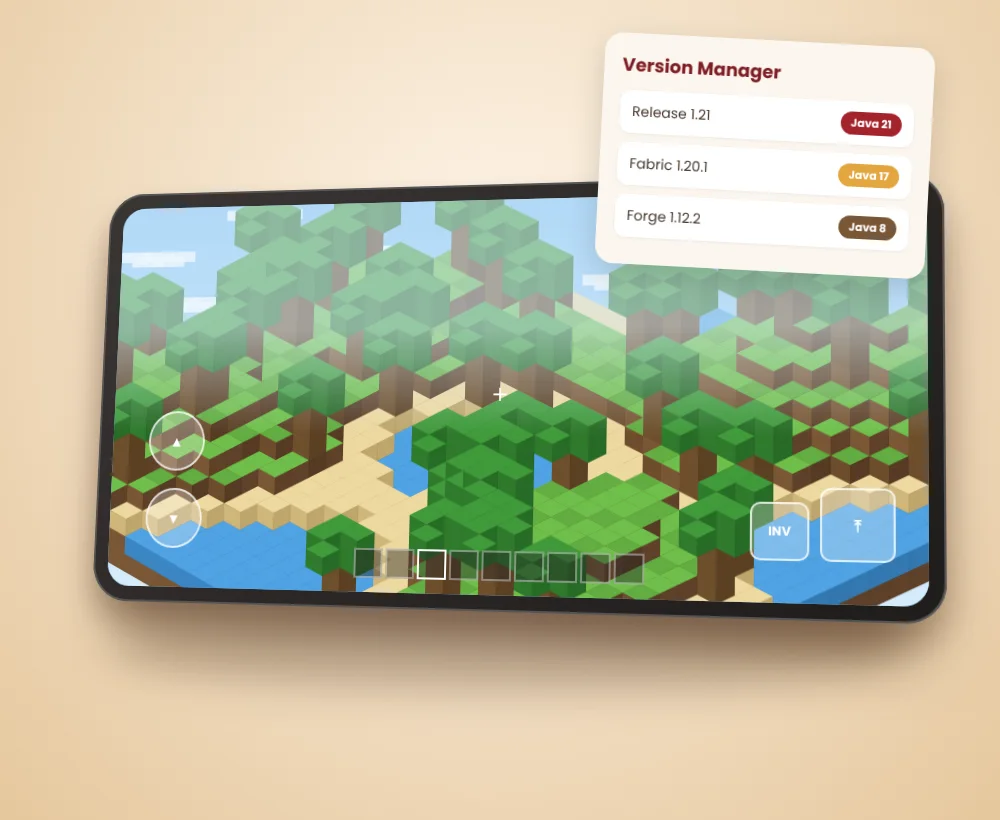
A build of OpenJDK compiled for ARM runs on the device. Java 8 serves older versions, Java 17 covers 1.18 to 1.20.4, and Java 21 handles 1.20.5 onwards.
Graphics Translation
Phones speak OpenGL ES or Vulkan rather than desktop OpenGL. Renderers such as GL4ES and Zink translate every draw call so the game can display correctly.
Input and Files
Touch gestures are mapped to keyboard and mouse events, while game files, libraries and assets are fetched from Mojang's official servers after sign-in.
How to Install pojavlauncher on Android
Installation takes only a few minutes. The first launch of each game version downloads additional files, so a stable Wi-Fi connection is advisable.
- Obtain the packageUse the download section on this page to fetch the pojav-legacy v2 package from the official GitHub repository, then build or extract the APK it contains.
- Allow the installationOpen Settings, choose Apps, select your file manager or browser and enable "Install unknown apps" for it.
- Install and openOpen the APK, confirm the installation and launch pojavlauncher. Grant storage access when the launcher requests it.
- Sign inAdd a Microsoft account through the official login page. The launcher verifies ownership of Java Edition and stores a secure token.
- Create a profile and playSelect a version, choose a renderer, allocate memory and start the game. The first launch takes longer while assets download.
pojavlauncher Use Cases
Continue your worlds
Move compatible Java Edition saves between your computer and mobile device.
Play with friends
Join compatible Java servers and LAN worlds with your Minecraft account.
Explore mods
Use compatible mod loaders and custom controls to tailor your experience.
pojavlauncher Download
Download the pojav-legacy v2 package directly from the official TeamPojavLauncher repository on GitHub. The archive contains the complete project, so you can review the source, build the launcher yourself or keep a verified copy for future installs.
Before installing, back up any existing game folder and confirm that your device meets the requirements above. After installation, sign in with the Microsoft account that owns Java Edition so that the launcher can download the official game files.
Download pojavlauncherJava Edition on Mobile vs Desktop
pojavlauncher runs Java Edition on mobile hardware, with touch controls and configurable graphics. Desktop computers generally offer more performance and simpler setup; compatibility with individual mods and renderers varies by device.
Fix Common Problems
If the game crashes or runs slowly, close background apps, lower render distance and try a renderer suited to your device. Check that your game version, Java runtime and mods are compatible. For more help, read the performance guide.
pojavlauncher System Requirements
Running a desktop game on mobile hardware is demanding, so the device you use has a direct effect on the experience. The table below summarises realistic expectations.
| Component | Minimum | Recommended |
|---|---|---|
| Operating system | Android 8.0 / iOS 14 | Android 11 or later / iOS 16 or later |
| Processor | 64-bit ARM (arm64-v8a) | Snapdragon 8-series, Dimensity 8000 or Apple A13 and newer |
| Memory (RAM) | 3 GB for 1.12.2 and older | 6–8 GB for 1.18+ and modded play |
| Graphics | OpenGL ES 3.0 | Vulkan 1.1 capable Adreno or Mali GPU |
| Storage | 1.5 GB free | 4 GB or more for several versions and mods |
| Account | Local profile (limited) | Microsoft account owning Java Edition |
Use pojavlauncher Safely
Use trusted project sources, review downloads and back up your worlds before changing versions or installing mods. Sign in through the official Microsoft authentication page and avoid sharing your account credentials.
pojavlauncher Pros and Cons
A balanced view helps you decide whether the launcher fits your device and the way you play.
Strengths
- Runs genuine Java Edition rather than a substitute
- Free and open source with transparent development
- Supports Fabric, Forge, Quilt and OptiFine
- Works with Java servers, Realms and LAN play
- Highly configurable controls and renderers
Limitations
- Requires a Java Edition licence for full play
- Modern versions need 4 GB of RAM or more
- Performance varies between GPU vendors
- Heavy modpacks can exhaust phone memory
- iOS setup involves sideloading and JIT
pojavlauncher FAQs
Yes. pojavlauncher is free, open-source software released under the GPLv3 licence. You do, however, need a Microsoft account that owns Minecraft: Java Edition to play the full game.
No. The launcher downloads the official game files from Mojang after you sign in. It does not contain or distribute the game itself.
The official build from the TeamPojavLauncher GitHub repository is open source and can be inspected by anyone. Avoid modified copies from unofficial mirrors or outdated app store listings.
It supports Java Edition from early Alpha builds through 1.8.9, 1.12.2, 1.16.5 and recent releases, as well as snapshots and modded profiles.
Yes. Fabric, Forge, NeoForge, Quilt and OptiFine all work, and recent builds can import Modrinth and CurseForge modpacks locally.
Versions up to 1.12.2 run on devices with 3 GB of RAM. Version 1.13 and later work best with 4 GB or more, and modded play benefits from 6 to 8 GB.
Holy GL4ES suits versions up to 1.16.5. LTW and MobileGlues suit 1.17 and newer, while Vulkan Zink works well on Snapdragon devices with Adreno GPUs.
Yes. With a verified Microsoft account you can join Java Edition servers, Realms and LAN worlds, exactly as on a desktop computer.
Yes, through a separate iOS build. It is installed by sideloading with AltStore, SideStore or TrollStore and needs JIT enabled for good performance.
Yes. Bluetooth and USB keyboards and mice are supported, and the launcher captures the mouse pointer for natural camera control.
This usually means Android ran low on memory. Lower the memory allocation slightly, close background apps and reduce render distance.
No. pojavlauncher runs on standard Android devices without root access or any system modification.
Yes. After signing in once and downloading a version, single-player worlds can be played offline until the account token needs refreshing.
Yes. Copy the world folder from the saves directory on your computer into the saves folder of the pojavlauncher game directory on your device.
The project team has stated that the Play Store listing is outdated and not maintained by them. The official GitHub repository provides current releases.